
Design and themes
What this is
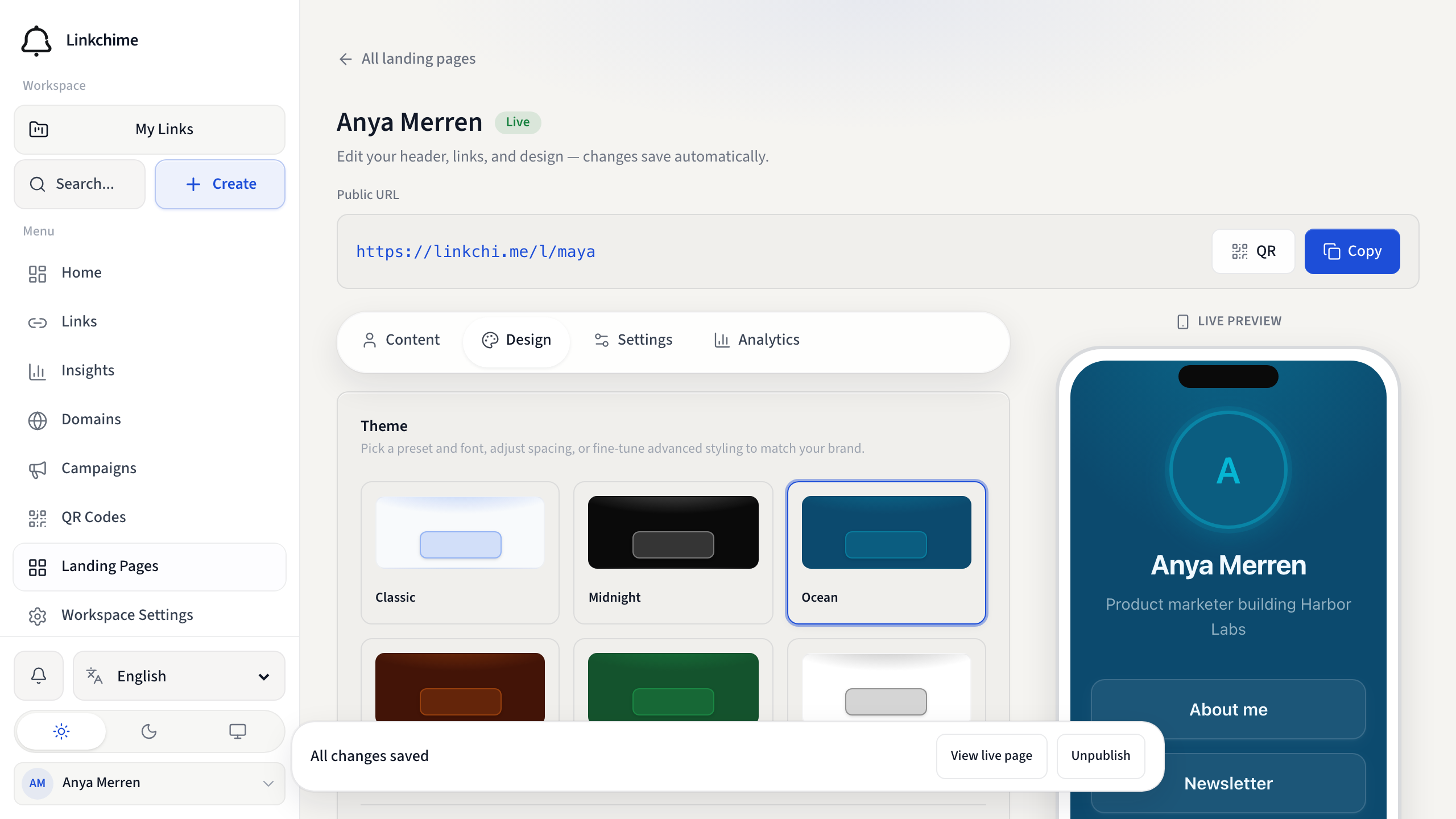
Customize how your landing page looks with preset themes, Google Fonts, spacing, and (on Pro) custom colors and advanced styling.
Before you start
- You have a landing page open in the editor.
Steps
- Open the Design tab.
- Under Theme, pick a preset: Classic, Midnight, Ocean, Sunset, Forest, or Minimal.
- Under Font, choose a Google Font for your page text and buttons.
- Under Spacing, choose Compact, Cozy, or Roomy to tighten or open the stack of blocks.
- Optionally adjust Pro Customize controls:
- Accent / Background / Text — solid colors
- Background style — Flat, Glow, or Soft
- Button look — Glass, Solid, or Soft (how filled links appear)
- Avatar size — S, M, or L
- Button style (Filled or Outline) and Button corners (Subtle, Rounded, Soft, or Pill)
What happens next
The live preview updates as you make changes. Custom colors, background style, button look, and avatar size require Pro (landing_page_advanced_themes). Spacing and fonts are available on all plans.
Tips
- Preview your page on a real phone before publishing.
- Under Settings, set Sharing & SEO title, description, and share image for social previews.
- CTA buttons stay solid accent so they remain the primary action, even when link buttons use Glass or Soft.
Related pages
Ready to try it?
Create a free account and put these guides to work on your next campaign.