
Link detail overview
What this is
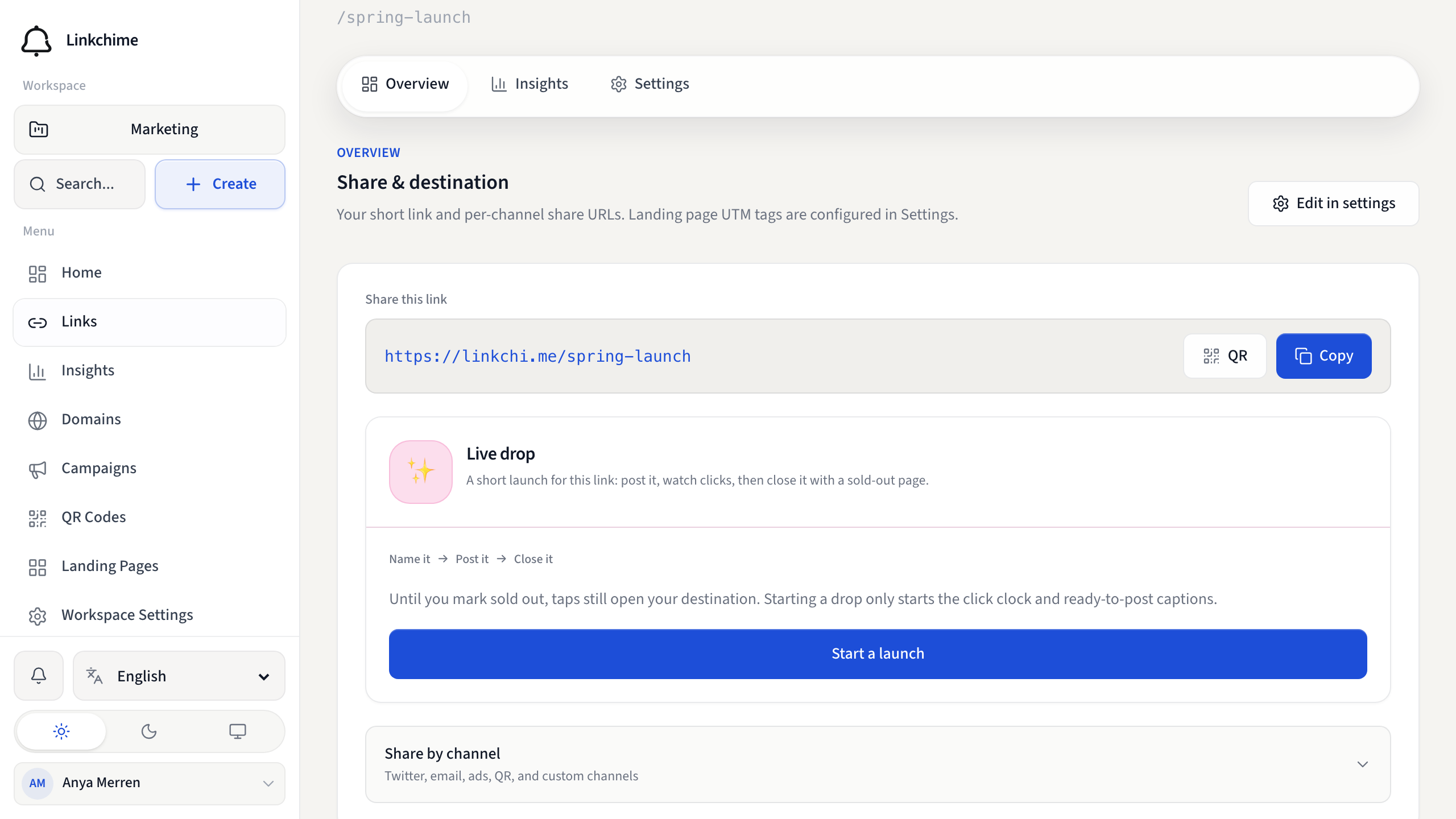
Each link has a detail page with three tabs: Overview, Insights, and Settings. The Overview tab shows your short URL, share options, and a performance snapshot.
Before you start
- You have at least one published or draft link.
Steps
- Open Links and click a link.
- On the Overview tab, review:
- Share — your short URL and channel-specific links
- Performance snapshot — clicks and top traffic source for the current period
- Destination — where the link redirects
- Link details — delivery method (redirect, URL Cloak, etc.)
- Click Open full insights to jump to the Insights tab.
- Click Edit in settings to change link configuration.
Status banners
- Draft — the short URL isn't live yet. Click Continue setup to publish.
- Disabled — visitors see an unavailable page. Turn Link active on in Settings.
- Expired — the expiration date passed. Update or remove the date in Settings.
What happens next
Share your short URL or channel links. Clicks appear in Insights.
Tips
- Use Duplicate link in Settings to copy all settings to a new link.
- Channel share links (Twitter, email, etc.) include UTM tags for attribution.
Related pages
Ready to try it?
Create a free account and put these guides to work on your next campaign.